SwitchBot S10 Robot Vacuum Review: Does Hands-Free Cleaning Really Work?
Tired of robot vacuums that still need babysitting? The SwitchBot S10 promises a different story.
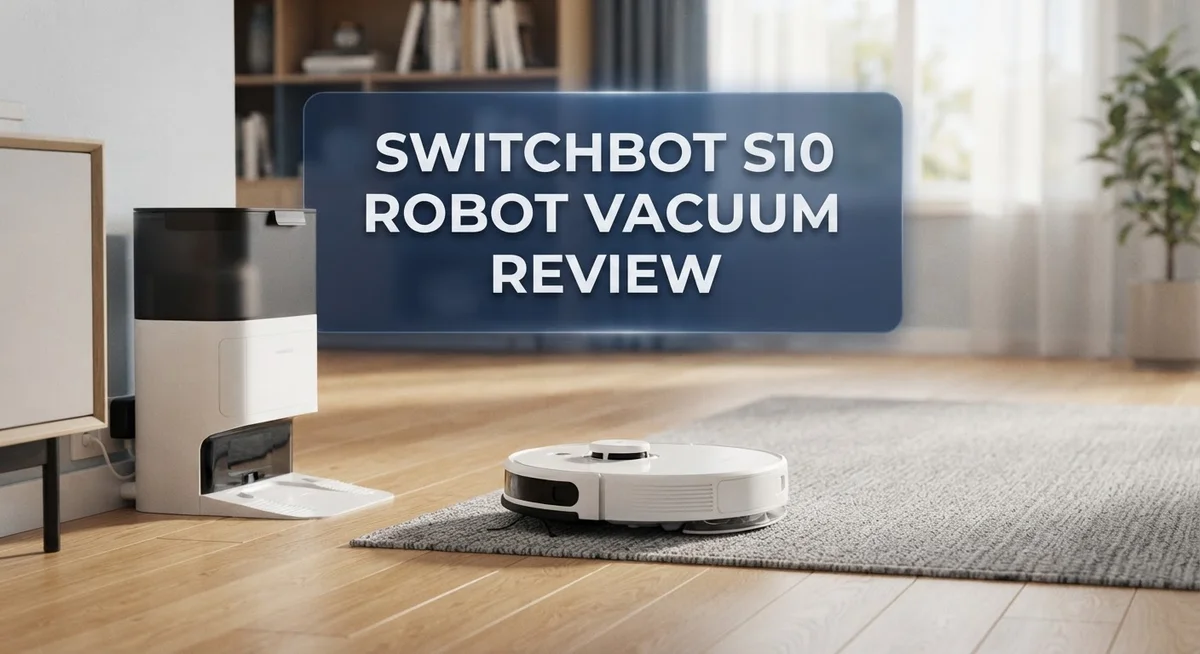
It pairs vacuuming and mopping in one smart machine. A dual dock system handles water refill, drain, and mop cleaning automatically.
This bot even empties its own debris bin. You get up to 90 days of storage before you touch it.
Sounds like a dream, right? But does it clean as well as it automates?
In this review, we dig into real performance. We check navigation, cleaning power, and daily reliability.
Let’s find out if this hands free helper truly earns its spot in your home.
In a Nutshell
- The dual dock system handles water refill, drain, and mop washing automatically.
- Debris storage lasts up to 90 days, so you empty the bin less often.
- AI powered navigation helps the S10 map rooms and avoid obstacles smartly.
- Some users report the machine needs occasional checks, even with all this automation.
- Cleaning and mopping power stay average compared to top rivals like the Roomba S9+ or Dyson 360 Heurist.
- A few owners mention reliability hiccups after months of use.
- It suits homes that want less daily upkeep, not flawless deep cleaning.
- Compared to the 3i S10 Ultra or Shark IQ Robot XL, the S10 wins on hands free convenience but not on raw cleaning strength.
- Think of it as a smart helper that handles the boring chores, while you still watch over the big tasks.
- Overall, the S10 shines in automation design, but falls short in consistent dirt and mop performance.
Design and Dual Dock System
The SwitchBot S10 stands out with its dual dock system, a feature that changes how you interact with your robot vacuum. This isn’t just a charging station. It’s a complete maintenance hub that handles multiple tasks automatically.
The dock manages water refill, drainage, and mop washing all in one place. You set it up once, and the system takes over from there. The vacuum returns to the dock after each cleaning cycle to refresh its mop pads. This means you rarely touch the mop manually. The automated washing cycle keeps pads clean between runs, which many owners appreciate.
Debris storage capacity reaches up to 90 days. That’s roughly three months before you need to empty the bin. This extended storage window appeals to people who want less frequent maintenance. You won’t find yourself emptying dust constantly like with standard vacuums.
The design itself feels functional rather than fancy. The dock occupies floor space, so you need a dedicated spot in your home. It’s not compact, but it’s not enormous either. The vacuum body integrates well with the dock visually.
AI powered navigation helps the S10 map your rooms and identify obstacles. The robot learns your home layout over time. This smart mapping reduces random bumping and improves cleaning paths.
However, the dual dock system requires occasional attention despite its automation claims. Some users report that mop pads need manual intervention sometimes. The water tank needs refilling depending on your home size and cleaning frequency. The dock itself needs cleaning occasionally to prevent mold or buildup.
The system shines for people seeking hands-free convenience. If you want to forget about maintenance entirely, this isn’t realistic. But if you want to reduce daily upkeep significantly, the dual dock delivers. It streamlines the process compared to traditional robot vacuums that need constant manual mop rinsing and bin emptying.

- 𝗦𝗺𝗮𝗹𝗹 𝗕𝗼𝗱𝘆, 𝗕𝗶𝗴 𝗖𝗹𝗲𝗮𝗻𝗶𝗻𝗴 𝗣𝗼𝘄𝗲𝗿 - K11+ Pro...
- 𝗨𝗹𝘁𝗿𝗮-𝗖𝗼𝗺𝗽𝗮𝗰𝘁 𝗥𝗼𝗯𝗼𝘁 𝗮𝗻𝗱 𝗗𝗼𝗰𝗸 - The 9.8 x 9.8 x...
Last update on 2026-11-01 / Affiliate links / Images from Amazon Product Advertising API
Navigation and AI Smart Mapping
The SwitchBot S10 uses AI-powered navigation to understand your home layout and move around obstacles. This smart mapping system learns room layouts over multiple cleaning sessions, so it improves with time. The robot creates digital maps of your space, which you can view in the app.
The navigation works well in open spaces and regular home layouts. Rooms with furniture clusters or tight corners sometimes slow it down. The S10 handles stairs safely by detecting edges before it gets too close. Pet owners appreciate that the system avoids pet bowls and toys when you mark them in the app.
One standout feature is adaptive path planning. The robot doesn’t just clean in random patterns. Instead, it follows logical routes through each room, which saves battery and covers floors more consistently. You can set no go zones through the mobile app, so the S10 stays out of areas you want to protect.
The app shows real time location tracking while the S10 cleans. You see exactly where it has been and where it is headed. This transparency helps you catch issues before they become problems. Some users find this feature reassuring, while others say it requires too much monitoring for a “hands free” machine.
The AI system does have limitations. Very cluttered homes or homes with dark floors sometimes confuse the sensors. Users report occasional missed spots in bedrooms with lots of furniture. The mapping feature works best in homes with consistent lighting and standard floor types.
Overall, the navigation and mapping system feels competent but not exceptional. It gets the job done for typical homes. However, it does not match the precision you get from premium competitors. The S10 suits people who want smart automation without premium performance demands.
Vacuuming and Mopping Performance
The SwitchBot S10 tackles both vacuuming and mopping through a single pass, which sounds convenient in theory. In practice, the vacuum suction feels adequate but unremarkable when dealing with pet hair, dust, or debris on hard floors and carpets.
The mopping function relies on wet pads that the dock automatically washes between cleaning cycles. This keeps your floors from getting streaky or dirty water residue. However, the mop cleaning power doesn’t match dedicated mopping machines. Stubborn stains or sticky spots often require a second pass or manual intervention.
Real world testing shows the S10 performs best on open floor plans with minimal obstacles. Tight spaces, corners, and under furniture present challenges. The vacuum struggles to reach edges as effectively as some competitors, leaving small dust patches behind baseboards.
The dual dock system deserves attention here because it directly impacts cleaning results. While the dock handles water drainage and mop washing automatically, the actual cleaning performance doesn’t benefit much from this convenience. You still get average coverage rather than superior cleanliness.
Comparing the S10 to rivals reveals its position clearly. The Roomba S9+ delivers stronger suction for carpet cleaning. The Dyson 360 Heurist navigates complex layouts more intelligently. The Shark IQ Robot XL handles larger debris more effectively. The SwitchBot S10 trades raw cleaning power for automation and hands-free operation.
The S10 works best as a maintenance cleaner for homes that stay relatively tidy. It keeps dust levels down between deep cleans. Light pet hair and daily debris disappear without you lifting a finger. But if your home has heavy traffic, multiple pets, or thick carpets, the cleaning performance may disappoint.
The mopping feature adds value for hard floor owners, yet it remains a secondary strength rather than a primary selling point. Expect solid convenience with moderate cleaning results, not exceptional performance.
Top 3 Alternatives
Roborock Q5 Pro

Last update on 2026-11-01 / Affiliate links / Images from Amazon Product Advertising API
The Roborock Q5 Pro offers strong suction power and smart navigation. This vacuum uses LiDAR technology to map your home efficiently. You get precise room cleaning with customizable routes through the mobile app.
The device features a large dustbin capacity. You can schedule cleaning sessions while away from home. The Q5 Pro handles both hard floors and carpets well. Battery life extends to multiple rooms on a single charge.
Smart home integration works seamlessly with popular platforms. The vacuum avoids obstacles automatically during operation. Quiet operation makes it suitable for any time of day.
Eureka J15 Pro

- UP TO 75 DAYS OF HANDS-FREE MAINTANENCE: 8-in-1 Functional Base automatically empties debris along with automatically...
- UNBEATABLE VACUUM POWER REMOVES 99% DEBRIS: Experience Powerful 16,200 Pa suction for a deeper clean across all floor...

Last update on 2026-11-01 / Affiliate links / Images from Amazon Product Advertising API
The Eureka J15 Pro brings powerful suction to every cleaning session. This model includes advanced filtration that captures fine dust particles. The device transitions smoothly between different floor types without manual adjustment.
You’ll appreciate the quick-charge feature that reduces downtime. The vacuum’s slim design fits into tight spaces easily. App control gives you full command over cleaning schedules and patterns.
The J15 Pro detects dirt concentration and adjusts power automatically. Obstacle detection prevents collisions with furniture and pets. Edge cleaning works well along baseboards and corners.
Samsung Jet Bot

- PRECISE NAVIGATION: LiDAR sensors create accurate room maps for the Jet Bot plus to navigate so no worrying about your...
- INTELLIGENT POWER CONTROL: Jet Bot plus identifies the surface type and amount of dust and automatically adjusts suction...
Last update on 2026-11-01 / Affiliate links / Images from Amazon Product Advertising API
The Samsung Jet Bot combines intelligent cleaning with modern design. AI-powered object recognition helps the vacuum avoid hazards in your home. The device learns your home layout and improves cleaning efficiency over time.
This vacuum offers strong suction across various floor surfaces. You control everything through a simple mobile application. Real-time monitoring shows cleaning progress and battery status.
The Jet Bot includes a self-cleaning dock that empties the bin automatically. Quiet operation keeps noise levels low during day or night. Smart sensors detect stairs to prevent falls and accidents.
Self-Emptying and Maintenance Routine
The self-emptying feature on the SwitchBot S10 works through the dual dock system. The vacuum returns to the dock after each cleaning cycle and automatically empties its debris bin into a larger storage container. This container holds debris for up to 90 days, which means you won’t need to empty it constantly.
The mop maintenance routine happens automatically as well. After the S10 finishes mopping, the dock washes and dries the mop pads. Water refills happen automatically too, so the system stays ready for your next cleaning session. This sounds perfect on paper, but real users report that the dock still needs occasional attention.
The automation claims deserve a closer look. While the system handles many tasks without your input, the dock occasionally requires manual intervention. You may need to check water levels, clear blockages, or restart cycles that get stuck. The convenience factor is real, but it’s not completely hands-free like the marketing suggests.
Maintenance beyond the dock involves keeping filters clean and checking for tangled hair around the brush. These tasks happen less frequently than with traditional vacuums, but they still matter for performance. The automated mop washing reduces odor buildup that you’d normally deal with on wet pads.
The 90-day debris storage is genuinely useful. You won’t constantly think about emptying the bin. However, this long storage period means you should empty it periodically if you have pets or allergies. Dust sitting in the container for weeks could affect air quality.
The self-emptying system shines for busy households that want minimal interaction with their vacuum. The automated mop care eliminates one major cleaning chore. Just remember that “self-emptying” doesn’t mean completely maintenance-free. Regular checks and occasional troubleshooting keep everything running smoothly.
Auto Water Refill and Mop Washing
The auto water refill and mop washing system forms the core of the S10’s convenience appeal. This dual dock setup handles tasks that typically demand your attention on standard robot vacuums.
Here’s how the system works in practice. The dock automatically refills the S10’s water tank before each cleaning cycle. This means you don’t need to manually pour water into the robot before every run. The water supply connects directly to your home’s plumbing, eliminating the need for frequent manual refills.
The mop washing cycle runs automatically between cleaning sessions. After the S10 finishes mopping, it returns to the dock where hot water jets clean the mop pads. The system then dries the pads using warm air, preparing them for the next cycle. This automated washing prevents mold and odor that can develop on wet mop pads left sitting in traditional vacuums.
Real world usage reveals both strengths and limitations here. The automatic water refill works reliably when properly installed. Users report that the system maintains consistent water levels across multiple cleaning runs. The mop washing function genuinely reduces the manual maintenance burden compared to traditional mop and bucket approaches.
However, the system requires initial setup and occasional attention. You’ll need to connect the dock to a water source during installation. The dock also needs a drain connection for wastewater disposal. If either connection fails, the automation stops functioning, and you’re back to manual intervention.
The water quality matters for results. Hard water can leave mineral deposits on mop pads over time. Some users report needing to clean the dock’s nozzles periodically to maintain proper water flow.
For people with hard floors who want truly hands-free mopping, this system delivers convenience. The automatic washing cycle keeps pads fresher than passive storage methods. Just understand that the system requires proper plumbing connections and occasional monitoring to perform at its best.
App Control and Automation Features
The SwitchBot S10 app gives you control from anywhere on your phone. You can start, stop, or schedule cleaning sessions without being home. The app shows real time cleaning maps so you know exactly where the vacuum is working.
Scheduling automation stands out as a major feature here. Set the S10 to clean every morning at 7 AM or multiple times per week. The vacuum learns your routine and adapts accordingly. You can create different cleaning profiles for different rooms or floor types.
The app integrates with smart home systems like Alexa and Google Home. This means you can give voice commands to start cleaning. Tell your assistant to vacuum the living room and it happens instantly. Integration with other smart devices opens up creative automation chains.
No go zones and virtual walls work through the app interface. Draw boundaries on your phone to keep the vacuum away from certain areas. This prevents the S10 from entering rooms you want to protect or getting stuck in tight spaces.
Real world automation reveals both strengths and quirks. The app notifications tell you when the dock needs attention or when cleaning finishes. You receive alerts if something goes wrong during a cycle. However, some users report occasional lag between app commands and actual vacuum response.
The mapping feature improves over multiple cleaning runs. The S10 builds a digital floor plan that you can edit and customize. You can rename rooms, set cleaning preferences per room, and prioritize high traffic areas.
Geofencing automation is another useful feature. The vacuum can start cleaning automatically when you leave home. It stops and returns to dock when you arrive back. This hands off approach works well for people with predictable daily schedules.
The app experience feels intuitive for most users. Navigation is straightforward and settings are easy to find. Customer support through the app helps when you need quick answers about features or troubleshooting.
Pros and Cons
Pros
- Hands-free operation means you skip emptying the bin for up to 90 days
- Automatic mop washing and drying cycle handles floor cleaning between sessions
- Dual dock system manages self-emptying, water refill, and mop maintenance all at once
- AI navigation learns your home layout and improves cleaning paths over time
- Smart home integration with Alexa and Google Home lets you control cleaning from anywhere
Cons
- Actual cleaning and mopping performance falls short of what the automation suggests
- Requires frequent attention despite marketing claims of truly hands-free use
- Users report reliability issues that impact long-term satisfaction and durability
Who Should Buy It
The SwitchBot S10 works best for people who value convenience over raw cleaning power. If you hate emptying vacuum bins and washing mop pads, this robot solves both problems for you.
Busy professionals benefit most from the S10’s hands-free approach. The self-emptying system stores debris for up to 90 days. The auto mop washing cycle runs between cleaning sessions. You simply let the robot do its job without touching it for weeks.
People with mostly hard floors find the automatic mop system appealing. The water refill and drain happen automatically through the dual dock. Your floors get cleaned without you refilling water bottles or wringing out dirty mops.
Smart home enthusiasts appreciate the app control and Alexa/Google Home integration. You can schedule cleaning runs, set no-go zones, and trigger cleanings from anywhere. The geofencing feature starts cleaning when you leave home.
However, the S10 isn’t ideal for everyone. If you have high expectations for cleaning performance, look elsewhere. The vacuum and mop work at average levels compared to competitors. Users report it requires more attention than marketing suggests, despite the automation features.
Pet owners with heavy shedding might feel frustrated. The bin holds 90 days of debris, but performance dips if you have multiple pets. The mop washing system works better for light dirt than stubborn stains.
People who want a truly set-it-and-forget-it experience should know the truth. The S10 demands occasional attention for reliability. Some users report issues that impact long-term durability.
The S10 shines for people who prioritize convenience and automation over maximum cleaning power. You get a low-maintenance cleaning solution that handles the boring parts for you. Just understand that you’re trading some cleaning performance for hands-free operation and smart home features.
Final Verdict
The SwitchBot S10 earns its place as a unique robot vacuum. It blends smart automation with a dual dock system that few competitors match.
Convenience sits at the core of this machine. You get a device that handles multiple maintenance tasks without constant input.
Still, this vacuum has clear tradeoffs. Cleaning power does not match the sophistication of its automation features.
When you compare it to rivals like the 3i S10 Ultra or Roomba S9+, the S10 holds its own in automation. But it lags behind in raw suction and deep cleaning results.
The Dyson 360 Heurist and Shark IQ Robot XL often deliver stronger cleaning performance. However, they lack the same level of self maintenance that the S10 offers.
This creates a simple tradeoff. You choose between maximum cleaning power or maximum hands free convenience.
The S10 leans heavily toward convenience. It automates tasks that other vacuums leave for you to handle manually.
Reliability remains a concern based on user feedback. Some owners report issues that affect long term confidence in the device.
This does not mean the vacuum fails at its job. It means you should set realistic expectations before you buy.
Think about your daily routine. Think about how much you value automation versus flawless cleaning results.
If automation and low maintenance matter most to you, the SwitchBot S10 fits well. It saves time and reduces manual upkeep significantly.
If deep cleaning performance is your top priority, consider the Neato D7 Connected or Roomba S9+ instead. These models focus more on cleaning strength than automation extras.
Your choice depends on what you value most. The S10 serves a specific type of user well. It may not satisfy everyone, but it delivers real value to the right household.
Frequently Asked Questions
Does the SwitchBot S10 really work hands-free?
Mostly, yes. The dual dock system handles self-emptying, water refill, and mop washing automatically. You won’t touch dirty water or empty bins for months. However, the machine still needs occasional attention. Users report that reliability issues pop up, and you may need to troubleshoot or reset the system. True hands-free living requires some monitoring.
How does the mop washing cycle work?
The dock automatically cleans and dries the mop pads between cleaning sessions. This keeps mop odor down and extends pad life. The system drains dirty water and refills with fresh water on its own. You skip manual mop scrubbing entirely. The convenience here is genuine and saves real time.
Will it clean pet hair effectively?
The S10 handles light to moderate pet hair well. The vacuum picks up debris from hard floors smoothly. But heavy shedding may overwhelm the system. Pet owners with multiple animals report needing to empty the dock more often than advertised. If your home has thick carpets plus heavy shedding, stronger competitors might work better.
How does the AI navigation compare to other robot vacuums?
The S10 learns your home layout and improves cleaning paths over time. It maps rooms and avoids obstacles intelligently. This automation feature ranks high among users. Still, actual cleaning power doesn’t always match the smart navigation. The robot finds your home well but doesn’t always clean it deeply.
Is the SwitchBot S10 worth buying over the Roomba S9+ or Dyson 360?
Choose the S10 if automation and convenience matter most. Pick the Roomba or Dyson if you want stronger raw cleaning performance. The S10 excels at reducing your workload. Other models excel at deeper cleaning.

Hi, I’m Nezuko, the founder and chief reviewer behind HomeReviewed.blog. As a passionate home technology enthusiast with years of experience testing and reviewing home products, I’m committed to helping you navigate the world of modern home gadgets. I personally test every product I review, ensuring you get authentic, real-world insights to guide your purchasing decisions.